
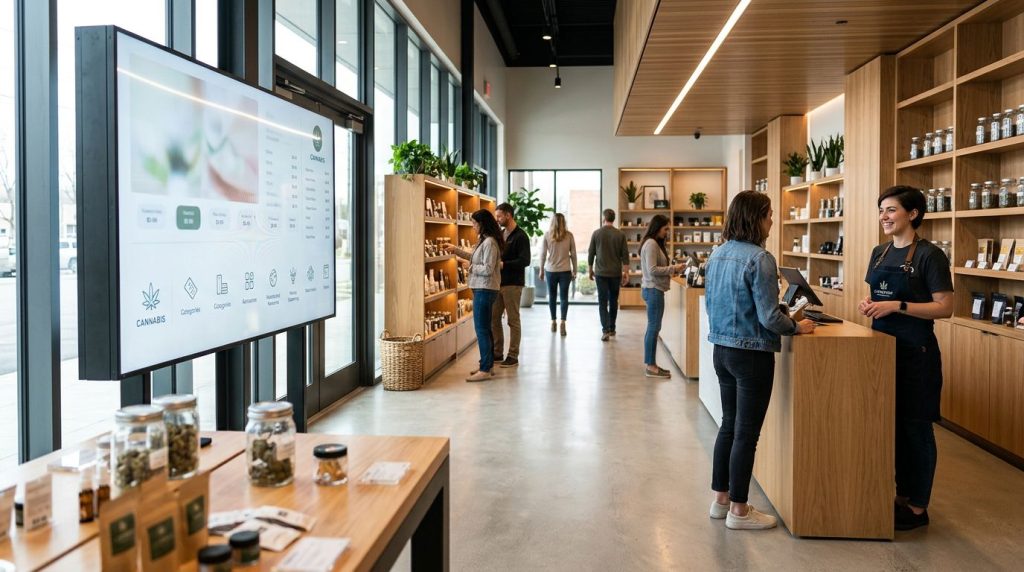
Paper menus can go out of date before the lunch rush ends. In a licensed cannabis dispensary, that creates friction for you and extra work for staff.
That is why more dispensaries use dispensary digital menus on large digital menu boards near the entrance, the sales floor, or the counter. These in-store signage tools enhance the customer experience by helping with store navigation. You get current product details faster, and the store can update them in real time.
If you have ever noticed a busy NYC dispensary move people through the line without feeling chaotic, the menu screens are often part of the reason.
Key Takeaways
- Dispensary digital menus provide a live, organized view of products with details like name, brand, price, THC/CBD content, and descriptions, helping you browse quickly and reducing staff repetition.
- POS integration keeps menus synced with real-time inventory and pricing, preventing out-of-stock frustrations and cutting manual updates for stores.
- They balance education and compliance by delivering factual, neutral information without hype, making it easier for you to compare items and for staff to focus on personalized guidance.
- The result is a smoother in-store experience: shorter perceived wait times, clearer navigation, and greater trust in the product info you see.
They give you a live view of the product floor
In most licensed stores, the menu board has to do two jobs at once. It needs to help you browse quickly, and it needs to keep the information current.
Unlike a printed sheet, a screen can organize items into product categories, brand, price, or potency. That matters when flower, pre-rolls, vapes, edibles, tinctures, and topicals all compete for attention on the same wall.
In New York City, where stores can get busy in short bursts, that visual order matters. You can scan the board, narrow your options, and walk up to the counter with a better sense of what you want. Budtenders then spend less time repeating basic facts and more time answering the questions that need a real person.
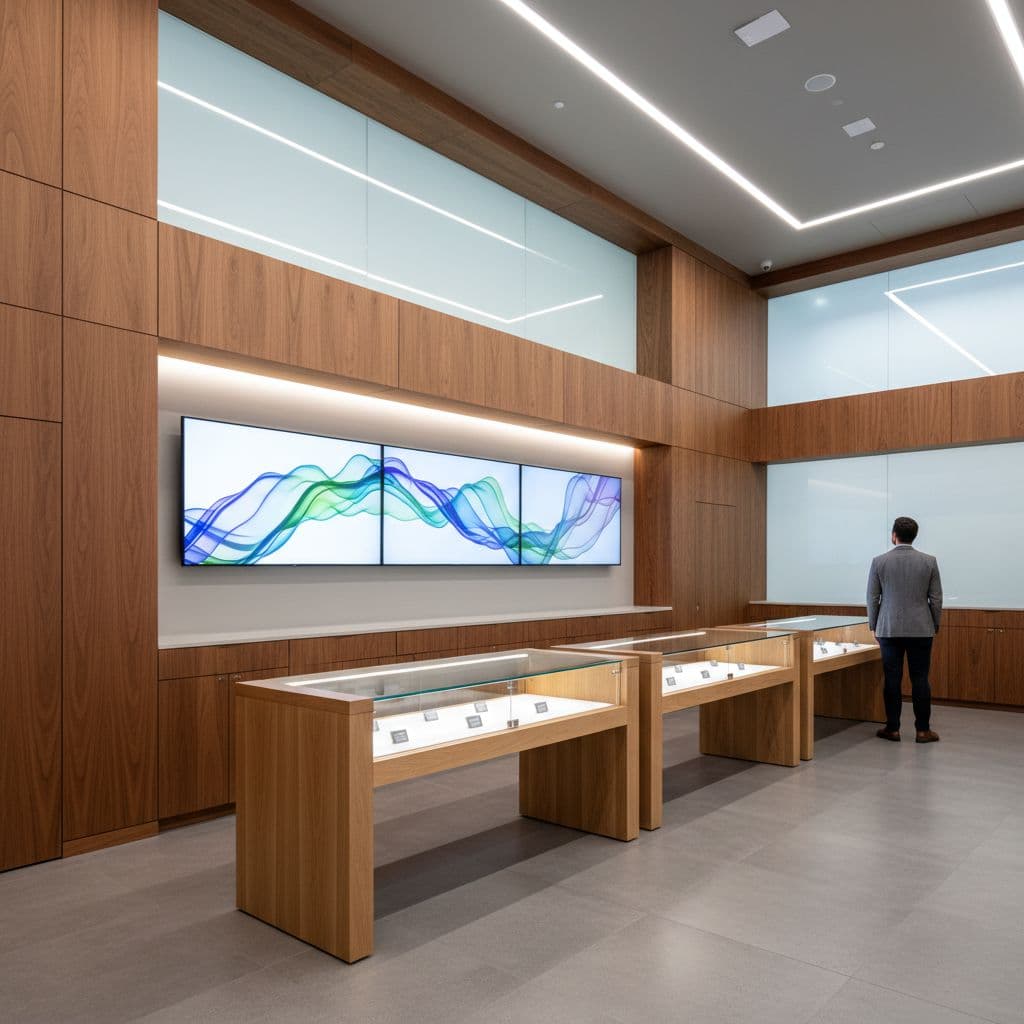
On a well-built menu, digital menu boards display products with:
- product name and brand
- package size or unit count
- price
- THC percentages and CBD content
- a short description or category tag
That mix gives you enough to compare items without turning the screen into clutter. Good stores also design these digital menu boards using digital templates to ensure custom branding across the sales floor. Categories sit high, prices stay in consistent spots, and the layout stays readable from the line.
The store still needs trained staff, but the screen handles the first layer of information. In practice, that lowers friction. You spend less time asking whether an item is still available or what shelf it sits on. Self-service kiosks can work alongside wall menus to further assist shoppers.
The best dispensary digital menus also keep the tone neutral. They inform, not hype. In a regulated market, that matters because the menu has to help you understand the product without drifting into claims the store should not make.
They stay in sync with inventory and pricing
A digital menu works best when it connects to the store’s point-of-sale system through POS integration. When that link is active, the screen can update as products sell out, prices change, or new batches arrive. You do not end up choosing something that disappeared 10 minutes earlier.
That live sync matters more than the screen itself or the hardware powering it, like the media player. A flashy display with old data still creates frustration. By contrast, a plain board with accurate stock helps you trust what you see.
The best digital menu is accurate first and attractive second.
For the store, real-time inventory tracking and automated updates cut repetitive work. Staff no longer need to cross out items, tape up paper changes, or explain the same out-of-stock problem all day. Some operators also use screen rules to feature certain categories during peak hours or rotate promotions without reprinting anything. Inventory management becomes simpler overall.
Retail technology coverage points to the same pattern in licensed cannabis stores. This real-time cannabis digital signage guide describes how live menu data can reduce manual changes and keep the sales floor more orderly.
That back-end control also helps multi-location operators. If a brand or store group manages more than one site, a cloud-based dashboard can keep pricing, featured items, and category structure more consistent across locations. You may never see that system, but you feel the result when the menu looks current and the order process stays clear.
For you, the effect is simple. Wait times often feel shorter because the line moves with fewer corrections. Even when the store is busy, the screen answers basic questions before you reach the counter, helping reduce wait times further.
They help stores balance education with compliance
Cannabis menus do more than list products. They also help licensed stores present information in a way that is easier to review and control, with compliance as a core benefit of digital systems.
That matters because dispensaries cannot treat product details like casual retail copy. THC percentages, package sizes, and category labels need to match what the store can legally offer. A digital system makes those edits faster when inventory changes or store policies change.
For you, that means fewer mixed signals. A screen can keep education short and factual, with notes about form factor, dose size, or product type, while avoiding unsupported claims. That is useful for newer shoppers who know the difference between an edible and a vape, but still need help comparing two similar items.
In NYC, where shoppers often include first-time legal customers and people on a tight schedule, that clarity matters. The screen can answer simple questions without turning the visit into a lecture. Meanwhile, staff can focus on age checks, order accuracy, and case-by-case guidance inside the store’s rules. These screens stand out as a key part of modern cannabis marketing.
Some platforms also rotate required notices, house rules, and brief product education on the same screens. Digital systems like these can even power drive-thru solutions for stores that offer them. This overview of dispensary signage for notices and education reflects how stores use digital boards for more than price lists. Meanwhile, in-store displays contrast nicely with an online menu platform, and native ecommerce solutions prove more SEO friendly than traditional iFrame menus.
Good menu design also helps with pace and readability. Large type, strong category labels, and clean spacing make a busy wall easier to read. When the layout is crowded, you feel it right away. When it is calm and clear, you can make decisions with less guesswork.
Digital menus do not replace trained staff. They give staff better room to do human work.
Frequently Asked Questions
What are dispensary digital menus?
Dispensary digital menus are large screens displaying current product details like name, brand, price, THC/CBD percentages, and categories. They replace outdated paper menus, organizing info for quick scanning near entrances, sales floors, or counters. This helps you navigate busy stores like those in NYC with less friction.
How do digital menus stay current with inventory?
They connect to the store’s POS system for real-time updates on stock, prices, and new arrivals. This prevents you from selecting sold-out items and saves staff from manual changes or explanations. Accurate data builds trust and keeps lines moving.
Why are digital menus better than printed ones?
Printed menus go out of date quickly, creating confusion and extra work. Digital boards update instantly, stay organized by category or potency, and reduce basic questions for budtenders. You get a clearer, faster path to decisions.
Do digital menus help with compliance?
Yes, they present factual info on THC, sizes, and types without unsupported claims, matching legal requirements. Stores can edit quickly for policy changes, and rotate notices or education. This keeps education short for you while staff handle nuanced guidance.
What makes a good dispensary digital menu design?
Good designs use clean layouts with large type, consistent pricing spots, and custom branding for readability from afar. They avoid clutter, focus on key details, and maintain a neutral tone. Paired with kiosks, they enhance self-service without replacing staff.
Conclusion
When a dispensary uses in-store screens well, you notice the result before you notice the technology. The room feels clearer, the line moves with fewer stops, and the information in front of you matches what the store can actually sell.
That is why dispensary digital menus matter. They are not decoration. They are part of how licensed stores keep product information readable, current, and easier for you to trust, which boosts retail sales through smoother information flow and finalizes a positive checkout experience for every customer.
In a city where pace matters, that kind of accuracy stands out for the business.


